
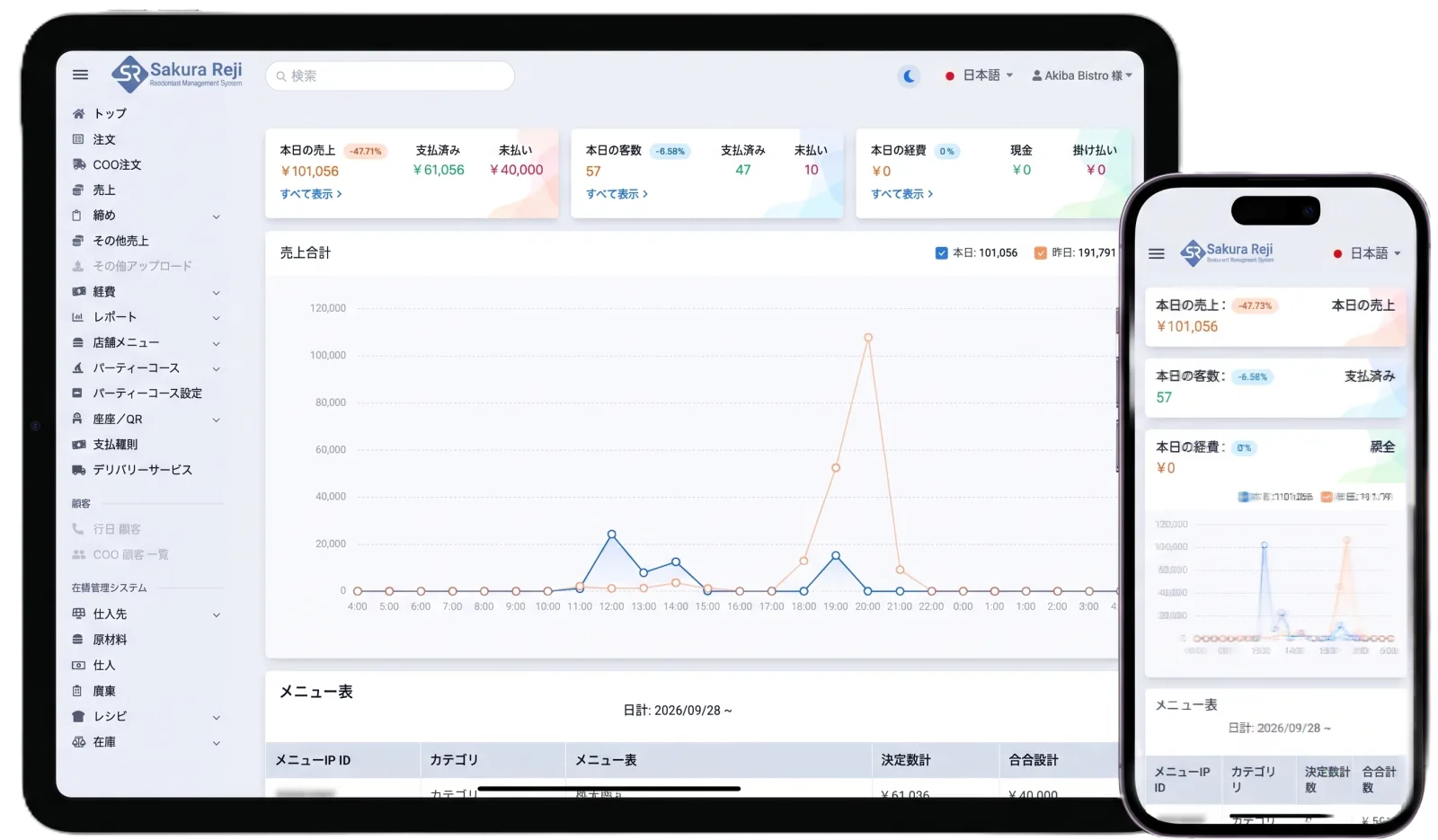
飲食店にも小売店にも必要な機能をひとつに
注文入力、ハンディ連動、キッチンへの注文送信、個別会計といった飲食店向けの機能に加え、バーコード会計、在庫管理、仕入先への発注まで、ひとつのシステムで管理できます。
レジ・注文・キッチン・在庫・売上管理がバラバラだと、毎日の小さな手間が積み重なります。
そのお悩み、さくらレジならまとめて解決できます。
飲食店ではホールの注文がそのままキッチンへ届き、会計と売上集計までひとつの流れでつながります。小売店ではバーコード会計から在庫・売上までをまとめます。
POS(iPad)やハンディで注文入力。QRセルフオーダーならお客様のスマホから直接注文。さくらメシからのオンライン注文も受け取れます。
注文内容はその場でキッチンへ。口頭や手書き伝票での伝達ミスを減らします。
追加注文もそのまま伝票に。会計前レシートで現在の注文内容と金額を確認できます。
個別会計、割引・クーポン、インボイス対応レシート。キャッシュドロアも自動で開きます。
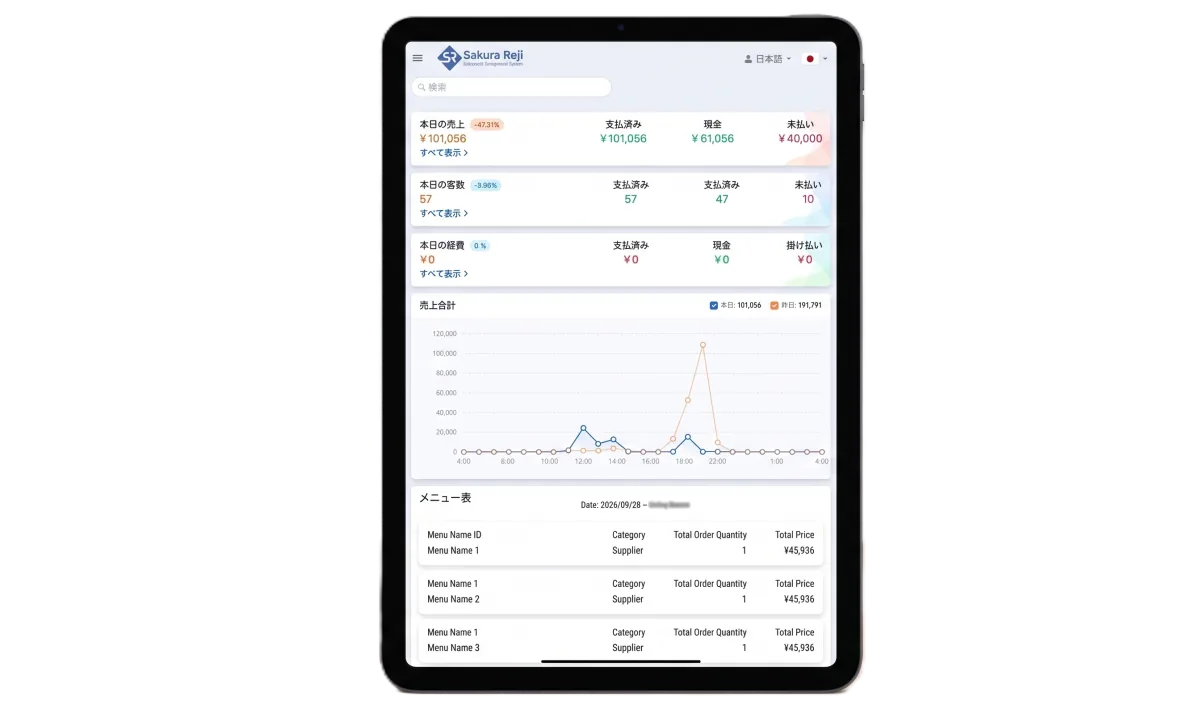
日別・時間別・商品別の売上をすぐ確認。点検・精算レシートで1日の締めもかんたん。
お客様がテーブルのQRコードを読み取って注文すると、スタッフを介さずに注文がさくらレジに入ります。
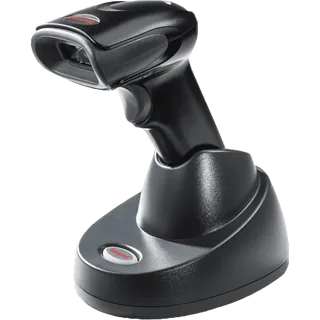
バーコードスキャナーで商品を読み取って会計。売れた分は在庫に反映され、仕入先への発注や棚卸もさくらレジで管理できます。
スタッフの注文、お客様自身のQRセルフオーダー、さくらメシからのオンライン注文。さまざまな注文をさくらレジで受信し、キッチンプリンターへ自動で出力します。
機能の多さではなく、お店の現場で毎日使いやすいことを大切にしています。
注文入力、ハンディ連動、キッチンへの注文送信、個別会計といった飲食店向けの機能に加え、バーコード会計、在庫管理、仕入先への発注まで、ひとつのシステムで管理できます。
商品をタッチするだけで注文を入力。カテゴリごとに色分けされた画面で、新しいスタッフも短期間で操作を覚えられます。
お客様自身のスマートフォンから注文できるので、スタッフの注文業務を減らし、接客や料理提供に集中できます。
スタッフ用の画面は日本語・英語・ネパール語に切り替え可能。外国人スタッフが多いお店でも、言葉の壁を感じずに使えます。
導入費用には保守サポートが含まれています。初期設定から導入後の困りごとまで、電話でご相談いただけます。
iOSとAndroidの両方に対応。iPadをレジに、スマートフォンをハンディやカスタマーディスプレイに使えるので、小さなお店でも導入しやすい構成です。
同じさくらレジを、お店の業種に合わせて使い分けられます。
注文から会計までをひとつの流れで。ホールとキッチンの連携、グループ客の個別会計など、飲食店ならではの業務をシンプルにします。
バーコードで商品を読み取ってすぐ会計。売れた商品は在庫に反映され、仕入先への発注や棚卸まで、商品管理をまとめて行えます。
実際の画面を見ながら、注文から会計までの流れをご説明します。
注文・QRセルフオーダー・キッチン連携・会計・売上レポート、そして小売店向けの商品・在庫管理。現場で毎日使う機能を、実際の画面とあわせてご紹介します。
商品をタッチするだけで注文を入力できます。ホールではスマートフォンをハンディとして使い、テーブルで受けた注文をその場でキッチンへ送信できます。
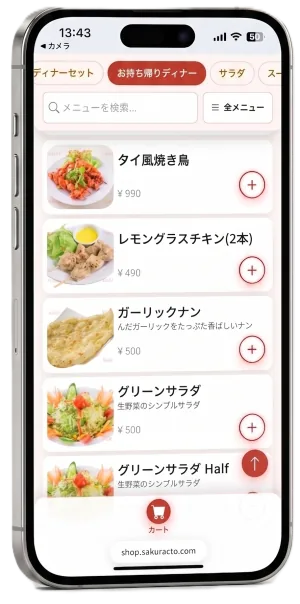
テーブルのQRコードを読み取るとメニューが開き、お客様ご自身のスマートフォンで注文できます。注文業務の負担を減らし、スタッフは接客や料理提供に集中できます。
QRセルフオーダーはLINEとの連携に対応しています。お客様がQRコードから注文する際にLINEと連携でき、店舗とお客様をつなぐ仕組みとして活用できます。
※ LINE連携の利用条件や設定方法はお問い合わせください。さくらメシ連携(店外からのオンライン注文)とは別の機能です。
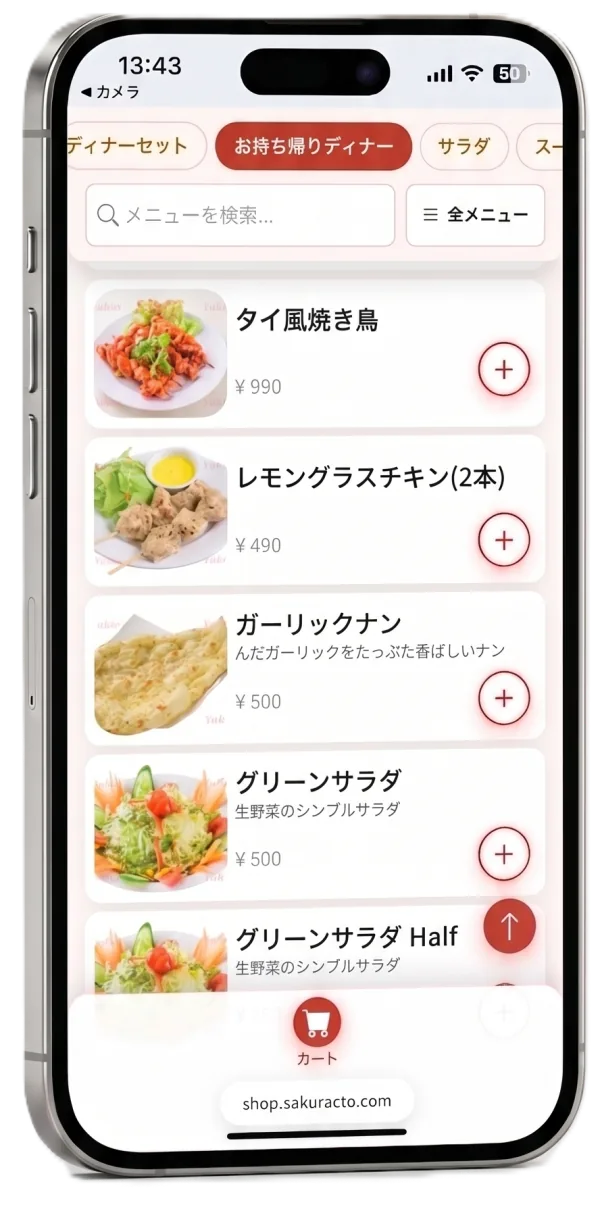
実際のQRセルフオーダー画面
ホールで入力した注文も、お客様がQRで入れた注文も、さくらメシからのオンライン注文も、そのままキッチンへ届きます。伝票を運ぶ手間や口頭伝達の聞き間違いを減らし、調理をすぐに始められます。
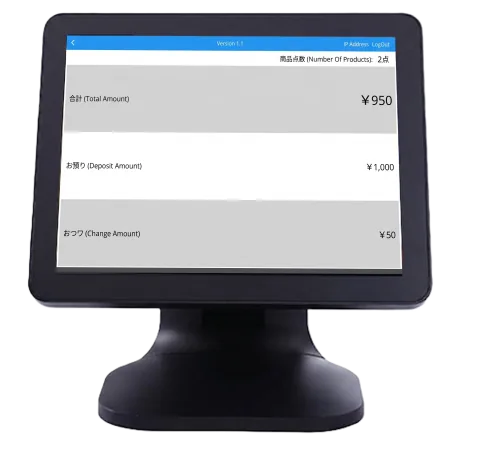
グループのお客様の個別会計、割引やクーポンの適用、インボイス対応のレシート発行まで。会計時の待ち時間とミスを減らします。
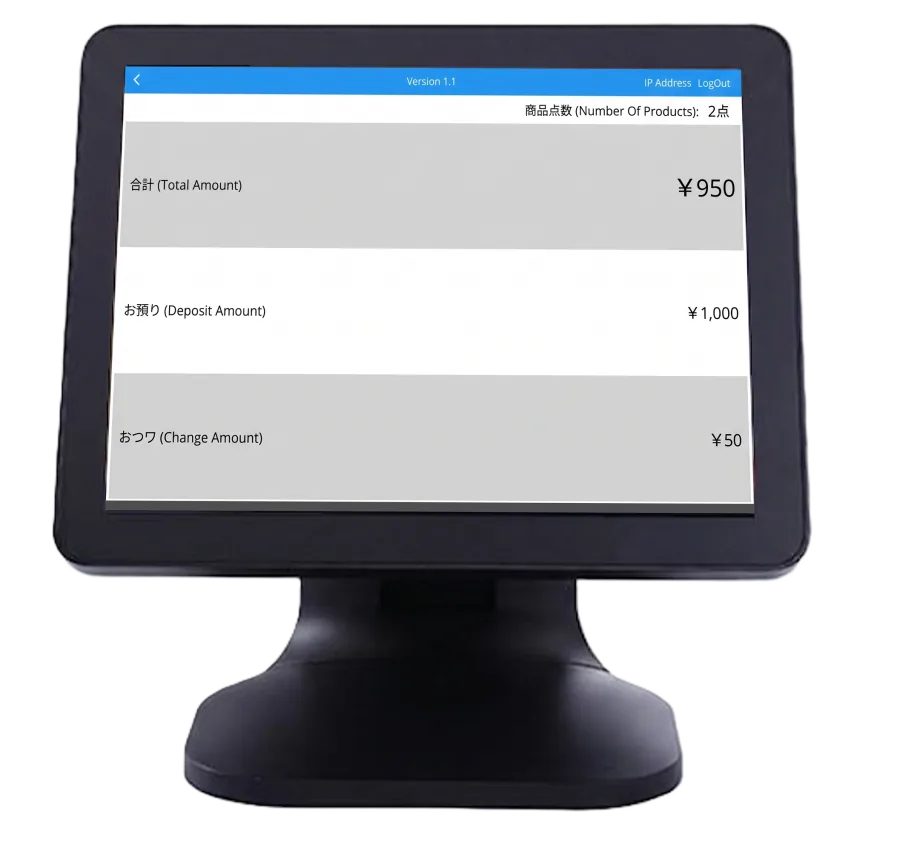
実際のカスタマーディスプレイ画面(合計・お預かり・おつりを表示)
バーコードスキャナーで商品を読み取って会計。取扱商品の登録から入庫・棚卸・仕入先への発注まで、小売店に必要な商品管理をさくらレジひとつで行えます。
さくらメシから入ったオンライン注文をさくらレジと連携。注文情報をさくらレジで受け取り、キッチンプリンターへ自動出力できます。店外からの注文も店舗の注文オペレーションにつながるため、注文確認やキッチンへの伝達をスムーズにします。
営業中でも営業後でも、知りたい売上をすぐに確認できます。1日の締めは点検・精算レシートを出力するだけです。
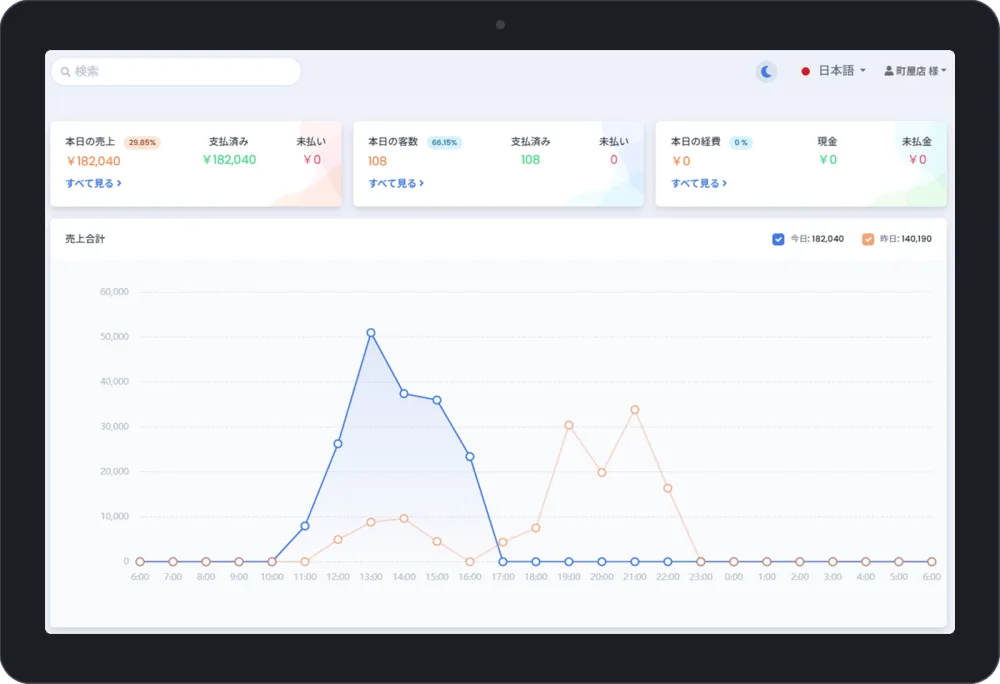
実際の売上ダッシュボード画面(時間別売上)
スタッフ用の画面とお客様用の注文画面で、それぞれ言語に対応しています。
スタッフごとに使いやすい言語に切り替えて操作できます。操作説明や引き継ぎの負担が減り、新しいスタッフも早く慣れます。
 日本語
日本語
 English
 नेपाली
お客様のスマートフォンの言語設定に合わせて注文画面が表示されます。海外からのお客様にも、スタッフが説明する手間なく注文していただけます。
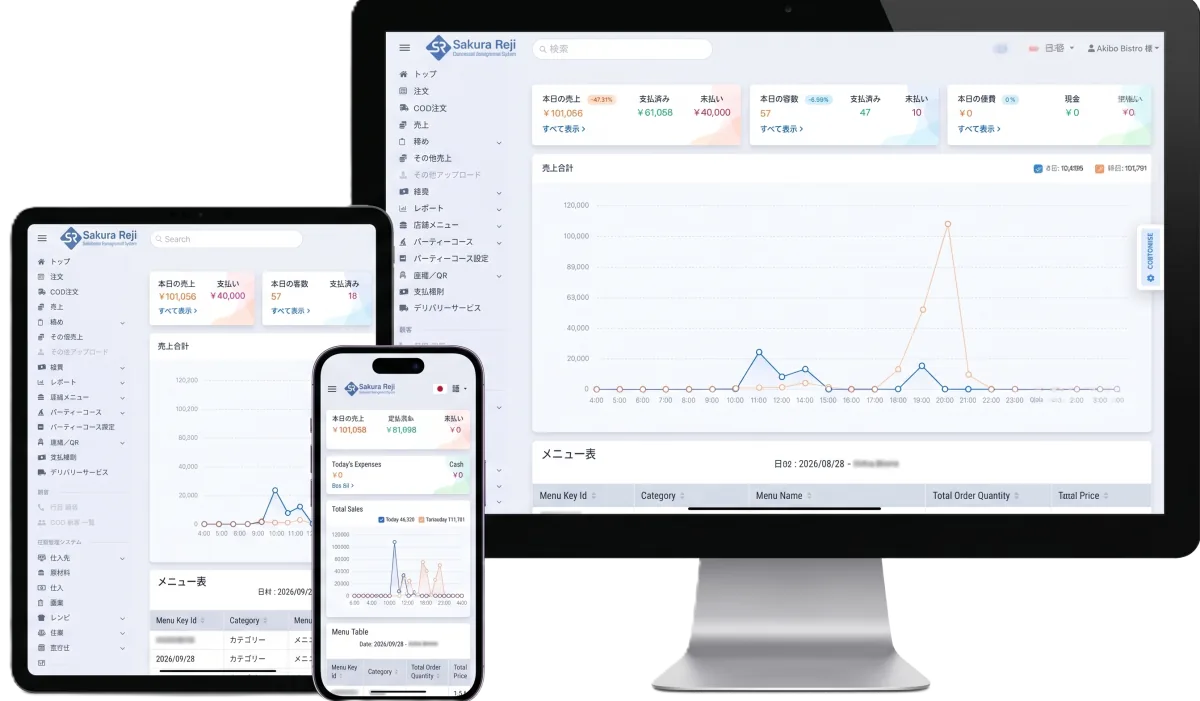
タブレット・スマートフォン・PCで同じ管理画面を利用できます
必要になったときに使える機能もひとつのシステムに揃っています。
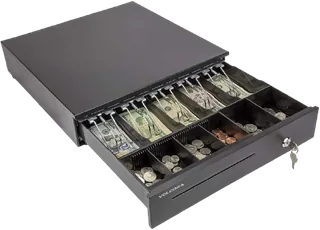
iPad1台から始められます。飲食店ならハンディやプリンター、小売店ならバーコードスキャナーやキャッシュドロアなど、お店の運用に合わせて組み合わせます。
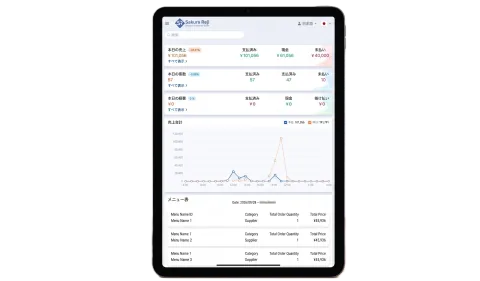
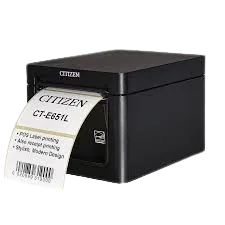
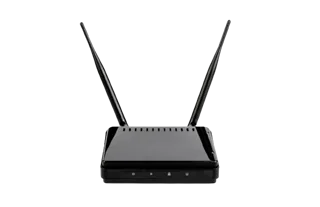
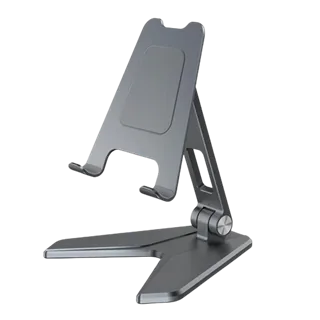
※ iOS / Android のタブレット・スマートフォンに対応しています。具体的な対応機種についてはお問い合わせください。
さくらレジは飲食店を中心に、150店舗以上の店舗運営を支えています。
 Yabin
Yabin
 Akiba Bistro
 Dautari
 Hanuman
 Happy
Happy
 Kanpai
 Keshav
 Kohinoor
 Miyabi
 Mountain Asian
 Mount Asian
 Namaste Indian
 Ruru Resunga
 Sita
Sita
 Surya
Surya
 Tik Top
さくらレジによって日々の店舗運営がどのように変わったか、実際のご感想をご紹介します。
さくらレジに切り替えてから、言葉の壁がなくなり、サポート対応も格段に速くなり、スタッフ教育も大幅に簡単になりました。多言語注文システムは、お客様のモバイル端末の言語設定に自動で対応するため、お客様にも従業員にも便利です。使いやすい画面と信頼できるサポートを備えたさくらレジを、日本でレストランを経営されている方に自信を持っておすすめします。
さくらレジに切り替えてから、店舗管理がとても簡単になりました。日本語・英語・ネパール語に対応した多言語画面により、スタッフとお客様の双方にとって言葉の壁がなくなりました。注文処理が速くなり、厨房との連携もスムーズで、新しいスタッフも短期間で操作を覚えられます。特に感銘を受けているのは、困ったときにほぼ即時に対応してくれる迅速なサポートチームです。1店舗での導入が成功したため、ほかの店舗にもさくらレジを展開しました。信頼性が高く使いやすいシステムをお探しのレストランオーナー様に、心からおすすめします。
表示価格はすべて税抜です。周辺機器は必要なものだけをお選びいただけます。
361,000円(税抜)
導入時に1回のみ
9,500円(税抜)/ 月
年額 114,000円(税抜)
お店の運用に合わせて必要な機器のみをご用意します。iPadやスマートフォンをお持ちの場合はご相談ください。
※ 価格は参考価格です。機器の仕入れ状況により変動する場合があります。正式なお見積りはお問い合わせください。
iPhone・iPad、Androidのスマートフォン・タブレットでご利用いただけます。
まずはお気軽にご相談ください。業種やお店の運用に合わせて必要な機器や設定をご案内します。
Webフォームまたはお電話でご連絡ください。実際の画面をご覧いただきながら、使い方をご説明します。
初期お申し込み事項をご入力いただき、必要書類をご案内します。審査は最短7日です。
審査通過後、端末を発送します。POSとの連携などの初期設定を行います。
設定完了後、営業でご利用いただけます。導入後の困りごともサポートにご相談ください。
導入費用には保守サポートが含まれています。設定や操作で困ったときも、すぐにご相談いただけます。
POSとの連携など、利用開始に必要な初期設定を行ったうえでお渡しします。
導入費用に保守サポートが含まれています。導入後の設定変更や不明点もご相談ください。
営業時間内(平日 9:00〜18:00)にお電話でご相談いただけます。
「困ったときにほぼ即時に対応してくれる」「サポート対応が格段に速くなった」と、導入されたオーナー様からご評価いただいています。
レストランをはじめとする飲食店全般に加え、小売店でもご利用いただけます。飲食店では注文・キッチン連携・個別会計を、小売店ではバーコードでの商品登録・会計、在庫管理、仕入先への発注をご活用いただけます。1店舗の小規模店から複数店舗の運営まで、店舗の規模や営業スタイルに合わせた使い方をご提案しますので、まずはご相談ください。
はい、iPadでご利用いただけます。レジ本体としてiPadを使用し、必要に応じてスタンドやレシートプリンター、キャッシュドロアを組み合わせます。
はい、iOSとAndroidの両方に対応しています。タブレット・スマートフォンのどちらでもご利用いただけます。
はい、対応しています。テーブルのQRコードをお客様のスマートフォンで読み取り、お客様ご自身で注文していただけます。注文画面はお客様の端末の言語設定に合わせて表示されます。
はい、対応しています。1つの伝票で複数人の注文を取った場合でも、お客様ごとに個別に会計できます。会計前に現在の注文内容と金額を記載した会計前レシートを出力することもできます。
はい、適格請求書等保存方式(インボイス制度)に対応した領収書・レシートを発行できます。
はい、レシートプリンターに対応しています。レシート・領収書・会計前レシート・点検/精算レシートの印字に加え、レシートプリンターと接続したキャッシュドロアを会計時に自動で開くことができます。
はい。POSとの連携などの初期設定を行ったうえでご利用を開始いただけます。導入費用には保守サポートが含まれており、導入後に困ったときも電話でご相談いただけます。
月額利用料金は9,500円(税抜)です。別途、保守サポートを含む導入費用361,000円(税抜)と、必要な周辺機器の費用がかかります。詳しくは料金セクションをご覧ください。
お申し込み後に加盟店審査を行い、審査は最短7日です。審査通過後に端末を発送し、初期設定を行ってからご利用開始となります。お急ぎの場合はお問い合わせの際にお知らせください。
はい。さくらメシと連携すると、さくらメシで受けたオンライン注文の情報をさくらレジで受け取り、キッチンプリンターへ自動出力できます。さくらメシは、お客様が店舗の外から飲食店を探してメニューを注文できるオンライン注文サービスで、さくらレジとは別のサービスです。連携の条件についてはお問い合わせください。
はい、QRセルフオーダーはLINEとの連携に対応しています。お客様がQRコードから注文する際にLINEと連携でき、店舗とお客様をつなぐ仕組みとして活用できます。利用条件や設定方法についてはお問い合わせください。
飲食店・小売店それぞれの業種や、店舗の規模・営業スタイルに合わせて、さくらレジの導入方法をご案内します。
まずはお気軽にご相談ください。
お電話でのご相談:080-4080-2044 / 050-3576-2037(月〜金 9:00〜18:00)